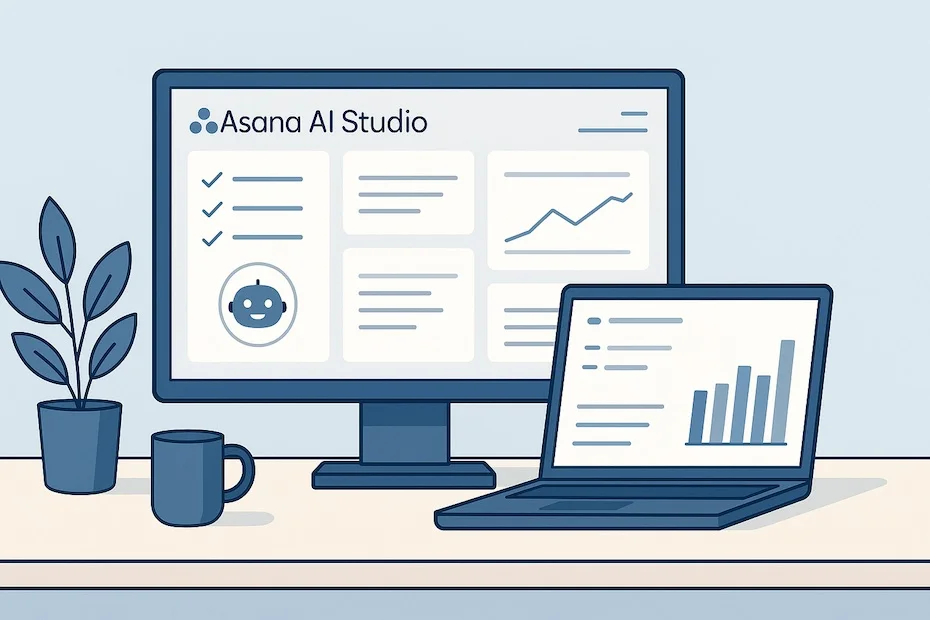
Asana’s AI Studio enables you to automate repetitive project workflows—intake, planning, execution, and reporting—directly inside Asana with no coding required.
This article shows you how to use Asana’s AI Studio for entrepreneurial project execution. You’ll learn its features, workflows, benefits, and real-world applications that save time and sharpen your business operations.
What is Asana AI Studio and how does it work?
Asana AI Studio is a no-code platform that lets you design custom AI-powered workflows within your project management environment. It builds on Asana’s Work Graph, meaning AI understands how your tasks, projects, and goals interconnect.
When you enable AI Studio, you can create automated agents that handle repetitive tasks like triaging requests, generating briefs, or compiling reports. The system uses prebuilt templates and custom rules to bring automation into the daily flow of work.
For entrepreneurs, this means you can scale operations without adding manual administrative load. You keep control, but the AI eliminates delays caused by repetitive human handoffs.
How can AI Studio automate your entrepreneurial workflows?
AI Studio automates multiple categories of work inside your Asana environment. The most impactful uses include intake management, task routing, feedback consolidation, and reporting.
Take intake workflows as an example. Instead of manually reviewing each incoming project request, AI Studio can categorize requests, assign them to the right teammate, generate a draft outline, and notify stakeholders—all in real time.
By keeping execution consistent and removing bottlenecks, you spend less time organizing and more time acting on opportunities. This advantage is critical in entrepreneurial settings where speed of execution directly affects competitive edge.
What are real use cases for AI Studio in practice?
The most valuable use cases come from real-world teams already running AI Studio.
- Creative production: Clear Channel automated its creative intake process. What used to take days was reduced to minutes, with 60% less manual effort per request. That translated into saving about 15 hours for each incoming project.
- Customer feedback: Asana’s internal R&D team used AI Studio to automate the transcription and synthesis of customer calls. The AI extracted key quotes, created summary tasks, and shared them instantly with product teams.
- Campaign execution: Marketing teams can use AI Studio to draft campaign briefs, track milestones, and generate progress reports, ensuring faster launch cycles.
These examples show that AI Studio is not just a theoretical tool—it directly removes hours of overhead in entrepreneurial execution.
What does implementation look like step by step?
Rolling out AI Studio follows a structured path.
You begin by enabling AI Studio through the admin console. It’s available on Asana’s Advanced, Enterprise, and Enterprise+ plans. Once enabled, you can access the AI workflow builder directly from your workspace.
You then choose whether to use a prebuilt workflow or create a custom one. Prebuilt workflows cover scenarios like intake, campaign planning, resource allocation, and reporting. You supply the project context—goals, templates, or relevant tasks—and AI Studio designs the sequence.
During rollout, you maintain oversight. Each workflow lets you stay in the loop, approve actions, or allow AI to execute automatically. That balance between automation and control ensures adoption without risk.
How secure and controlled is AI Studio?
Data control is central to AI Studio. Asana partners with leading providers like OpenAI and Anthropic, but your data is never used to train external models. Inputs and outputs are deleted after processing.
You define access permissions, which means you decide what the AI can see and what it can act upon. Every action is auditable, ensuring compliance with enterprise security standards.
This control is especially important for entrepreneurs handling sensitive client data or financial information. You can implement automation without sacrificing trust or transparency.
What do users say about its impact?
User feedback confirms the measurable benefits.
Asana’s internal adoption cut down hours of manual work in onboarding, request management, and reporting. Teams experienced faster decision-making because they didn’t have to synthesize data themselves.
Clear Channel’s example is more specific: automating intake reduced turnaround from days to minutes, with 60% less effort. For entrepreneurs, that kind of time saving means you can redirect resources toward sales, partnerships, or innovation instead of admin.
The consistent theme in user reports is reclaimed time and faster execution without loss of quality.
What pricing options exist for AI Studio?
AI Studio is available on Asana’s higher tiers: Advanced (annual), Enterprise, and Enterprise+. These plans unlock workflow automation, security features, and cross-team scalability.
If you’re running a small entrepreneurial team, Advanced may be enough, giving you access to prebuilt workflows and basic automation. Larger organizations that need enterprise-level governance or multiple AI workflows at scale will benefit more from Enterprise+.
Your choice depends on how often you intend to automate and how critical automation is for your growth strategy. For frequent use across multiple teams, subscription tiers justify the cost.
Benefits of adopting AI Studio for entrepreneurs
When you integrate AI Studio into your project workflows, you gain advantages that directly influence your entrepreneurial growth.
- Reduced administrative overhead by automating intake, routing, and reporting
- Faster decision-making through AI-generated summaries and structured outputs
- Better alignment of team members with automatically assigned tasks
- Scalability without increasing headcount or manual coordination
- Improved accuracy since AI workflows reduce the chance of human error
These benefits mean your business can move at higher velocity without losing visibility or accountability.
What does Asana AI Studio do for entrepreneurs?
- Automates intake, planning, and reporting in Asana
- Speeds project execution and reduces manual work
- Keeps you in control with no-code AI workflows
In Conclusion
Asana’s AI Studio brings automation directly into the entrepreneurial execution cycle. You no longer spend hours managing intake, assigning tasks, or generating reports. Instead, AI handles those processes while you retain full oversight. That balance of speed and control makes AI Studio an essential tool for entrepreneurs who want to scale projects, save time, and focus on growth.
For more insights on how entrepreneurs can leverage AI and digital tools to scale effectively, visit my profile at Facebook.
Programme status and requirements are maintained separately from general educational articles. Check the publication date and linked sources when using an article.
Return to the journal →