Active learning techniques help students move beyond passively consuming digital content by requiring them to question, discuss, retrieve, apply, and create. This shift matters because logging in, watching a video, or completing a reading doesn’t prove that a learner understands the material.
Digital tools can support deeper participation, but technology only helps when it serves a clear learning purpose. This article explains how to design practical, engaging learning experiences without overwhelming students or instructors.
What Does Active Learning Mean In The Digital Age?
Active learning techniques move students from watching, listening, and clicking through content to questioning, discussing, applying, and creating with it. In digital learning, that means using technology to make learners do meaningful thinking during class, before class, and after class.
If your students log in, mute themselves, and let slides pass by, they may be present without being mentally engaged. The goal isn’t to add more apps or make every lesson flashy. The goal is to design moments where students retrieve information, test ideas, explain reasoning, compare answers, and solve problems.
Research on active learning shows why this matters. A major analysis of science, technology, engineering, and mathematics courses found that active learning raised exam performance and reduced failure rates compared with traditional lecturing. That doesn’t mean lectures have no place. It means lectures work better when you interrupt passive intake with structured participation.
What Is The Difference Between Passive And Active Learning?
Passive learning asks students to receive information. Active learning asks students to process, use, and respond to information before the lesson moves on.
Passive digital learning often looks efficient from the instructor side. You upload slides, record a video, assign a reading, and students consume it on their own time. The problem is that consumption doesn’t prove understanding. A student can finish a video, highlight a page, or sit through a lecture without being able to explain the idea independently.
Active digital learning changes the student’s role. Instead of asking, “Did you watch it?” you ask, “Can you apply it, question it, teach it, or use it to make a decision?” That shift can be simple: a poll after a short explanation, a shared document where students compare responses, a short quiz using active recall, or a discussion prompt that requires evidence rather than opinion.
You don’t need to remove direct instruction. You need to break it into shorter teaching moments followed by learner action. A ten-minute explanation paired with a two-minute poll and a five-minute peer discussion usually gives you more useful learning data than a thirty-minute uninterrupted lecture.
Why Are Active Learning Techniques Important For Student Engagement?
Active learning techniques matter because they make engagement visible. You can see what students understand, where they’re stuck, and who needs support before the final assessment arrives.
Student disengagement is not only a motivation issue. It’s often a design issue. If learners are asked to sit, watch, and absorb for long stretches, many will drift, especially in digital spaces where distractions sit one tab away. Active tasks give students a reason to return attention to the learning goal.
Engagement also improves when students feel responsible for contributing. Live polls, peer explanation, collaborative notes, problem-solving boards, and reflection prompts all create small moments of accountability. These moments don’t need to be graded every time. They need to signal that participation is part of learning, not an optional add-on.
Gallup’s student engagement findings show that many students feel disconnected from school. Digital active learning can help when it makes participation easier, safer, and more frequent. A quiet student who rarely speaks in class may contribute through a shared document, anonymous poll, or short written response before joining a discussion.
What Are The Best Active Learning Techniques For Online Classes?
The best techniques for online classes are the ones that make students retrieve, explain, collaborate, and apply ideas. Start with simple routines before adding advanced tools.
Live polling works well because it interrupts passive listening and gives you instant feedback. Ask a concept question, display the response pattern, then discuss why answers differ. The value is not the poll itself. The learning happens when students compare reasoning and correct misunderstandings.
Think-pair-share also adapts well online. Students think independently, discuss in pairs or small breakout groups, then share a response with the full class. In asynchronous courses, you can adapt the same pattern by asking students to post an initial answer, respond to a peer, then revise their original answer.
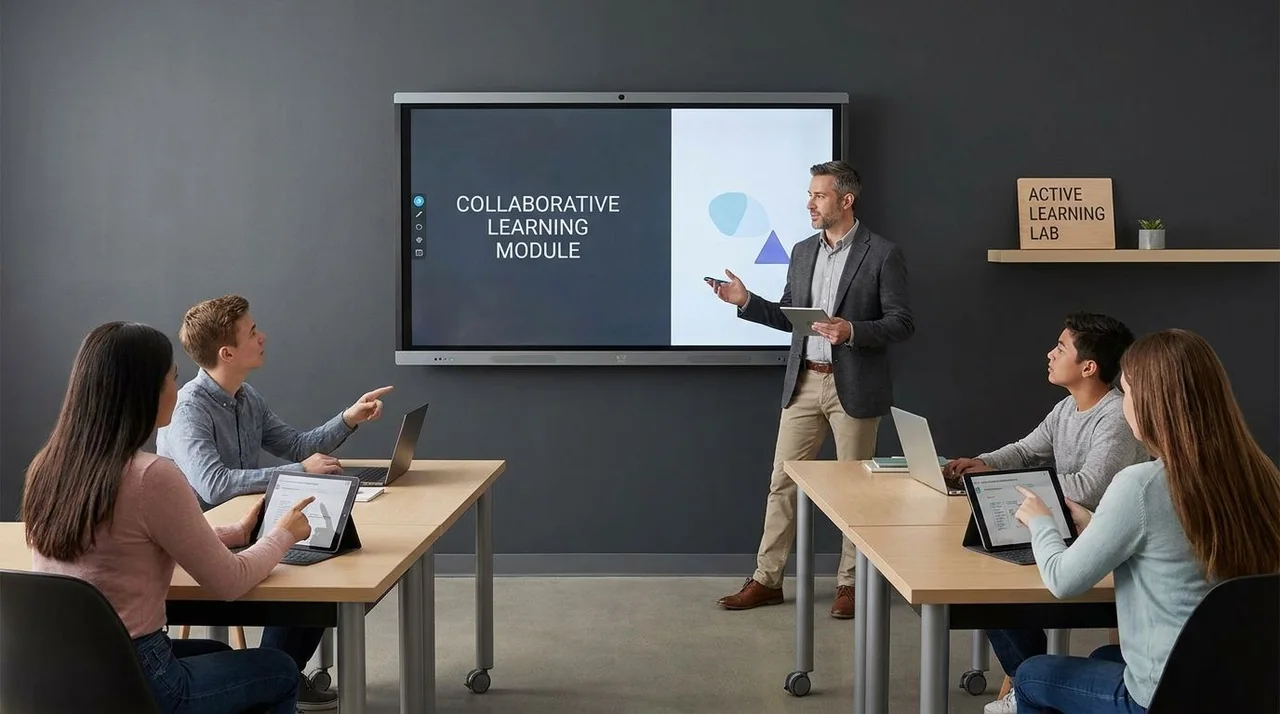
Collaborative documents support group thinking without requiring every student to speak aloud. Students can build a shared glossary, annotate a reading, sort examples into categories, or create a problem-solving plan. This keeps the activity visible, which helps you monitor progress and intervene without taking over the room.
How Does The Flipped Classroom Model Work?
The flipped classroom moves basic content exposure before class and uses class time for practice, discussion, feedback, and application. Students prepare outside class, then work actively when instructor support is available.
A flipped lesson works best when pre-work is short and purposeful. A long video rarely solves the passivity problem. A better design uses a short video, reading excerpt, or demonstration followed by a quick retrieval task that checks readiness.
Class time should then focus on the work students struggle to do alone. That could mean solving problems, analyzing a source, applying a process, debating a claim, or building a project plan. The instructor’s role shifts from delivering every detail to diagnosing confusion and guiding practice.
Set expectations early. Students need to know that pre-work matters because class depends on it. If they arrive unprepared and can still sit quietly through the session, the flipped model loses its force. Use low-stakes checks, short reflections, or entry questions to make preparation visible.
Can Gamification Improve Learning Retention?
Gamification can support retention when it reinforces recall, feedback, progress, and practice. It works best when game elements serve the learning goal rather than distract from it.
Quizzes, badges, progress bars, challenge levels, and timed review rounds can motivate students to return to material. The strongest use is retrieval practice. When students repeatedly pull information from memory, identify errors, and correct them, they strengthen learning more than they would through rereading alone.
Keep the design fair and focused. Competitive leaderboards can energize some students and discourage others. Team challenges, personal progress tracking, and mastery levels often create broader participation because students can improve without feeling publicly ranked.
The growth of the educational gamification market reflects strong interest in this area, but market growth alone doesn’t prove learning quality. Your measure should be whether students remember more, explain better, and transfer knowledge to new tasks. If the game mechanic doesn’t support those outcomes, simplify it.
What Digital Tools Help Make Lectures More Interactive?
The right tools help students respond, collaborate, practice, and reflect. Choose tools based on the learning action you want, not the novelty of the platform.
For quick checks, use polling, quiz, or classroom response tools. These help you spot misconceptions during the lesson rather than after grading. Ask questions that reveal reasoning, not only recall. A good poll can show whether students understand a concept well enough to apply it.
For collaboration, shared documents, whiteboards, discussion boards, and learning management system tools can work well. Students can co-create notes, compare solutions, map arguments, or build group responses. Keep instructions precise so the tool doesn’t become the task. The task is the thinking students do inside the tool.
For reflection and self-directed learning, short journals, exit tickets, audio responses, and learning portfolios can help students track progress. These tools are useful when you ask focused prompts: what changed in your understanding, where did you get stuck, what evidence supports your answer, or what step would you take differently?
How Do You Choose Technology Without Overcomplicating Your Class?
Choose technology by matching one tool to one learning purpose. If a tool doesn’t help students think, practice, collaborate, or get feedback, you probably don’t need it.
Start with your instructional goal. If you need to check understanding, use a poll or quiz. If you need students to build ideas together, use a shared workspace. If you need deeper practice, use a simulation, case task, or problem-based activity. Tool choice should follow the learning need.
Limit the number of platforms students must manage. Too many logins, dashboards, and submission points can reduce focus. Reuse familiar tools in different ways so students spend less time learning software and more time learning the subject.
Access matters. Some students have limited devices, unstable bandwidth, or shared study spaces. Offer low-bandwidth options where possible: downloadable files, text-based prompts, flexible submission formats, and activities that don’t require constant video. Good digital pedagogy works for real students, not ideal conditions.
How Can You Measure Active Learning Beyond Standard Tests?
You can measure active learning by tracking participation quality, concept mastery, transfer, reflection, collaboration, and revision. Standard tests can help, but they shouldn’t be your only evidence.
Use formative assessment during learning. Poll results, exit tickets, draft responses, peer explanations, short quizzes, and discussion patterns can show what students understand before high-stakes grading. This lets you adjust instruction sooner.
Look for transfer. Can students use a concept in a new problem, different reading, unfamiliar data set, or practical decision? If students can only repeat what they heard, learning may still be shallow. Active learning should help them move from recognition to application.
Reflection also gives you valuable evidence. Ask students to explain how their answer changed, what feedback they used, or which step caused confusion. These responses help you see the learning process, not just the final product.
How Do You Handle Student Pushback And Instructor Overload?
Student pushback often comes from unclear expectations. Instructor overload often comes from changing too much at once. Solve these problems with small, repeated routines.
Some students expect digital learning to mean watching content and submitting assignments. When you ask them to participate more actively, they may see it as extra work. Explain the purpose plainly: active tasks help them practice before grades depend on performance. Then keep the routine consistent enough that it becomes normal.
For instructors, the fastest path is not a total course redesign. Add one active moment to each major lesson. A poll, retrieval prompt, peer explanation, or collaborative note-taking task can change the rhythm without rebuilding every material.
Teacher confidence grows through repetition. ISTE and Project Tomorrow reported that many teachers see educational technology as a way to move from lecturer to facilitator. That shift doesn’t require giving up structure. It requires designing structure that students actively use.
What Are Active Learning Techniques In The Digital Age?
- Live polls during lectures
- Gamified recall quizzes
- Peer discussion boards
- Flipped video pre-work
- Digital problem-solving tasks
Build A Proactive Learning Culture One Routine At A Time
Active learning techniques work best when they become part of the learning culture, not a one-day experiment. Start small, use tools with purpose, and make student thinking visible through polls, discussions, retrieval practice, collaboration, and applied tasks. Keep lectures where they help, but don’t let them become the only mode of learning. When students know they’ll be asked to think, respond, revise, and explain, digital learning becomes less passive and more productive. The strongest shift is simple: design every lesson so students do something meaningful with what they’re learning.
References
- Freeman, S. et al. Active Learning Increases Student Performance In Science, Engineering, And Mathematics. Proceedings Of The National Academy Of Sciences.
- McGraw-Hill Education. Digital Study Trends Survey.
- Gallup. Student Poll: Engagement In America’s Schools.
- International Society For Technology In Education And Project Tomorrow. Speak Up Research: Digital Learning Tools.
- Edutopia. New Research On Active Learning In Higher Education.
- TeachThought. Active Learning Strategies To Engage Students.
- Carnegie Mellon University Eberly Center. Active Learning.
Programme status and requirements are maintained separately from general educational articles. Check the publication date and linked sources when using an article.
Return to the journal →